Catch-All Emails Explained: Why Verifiers Return Accept-All
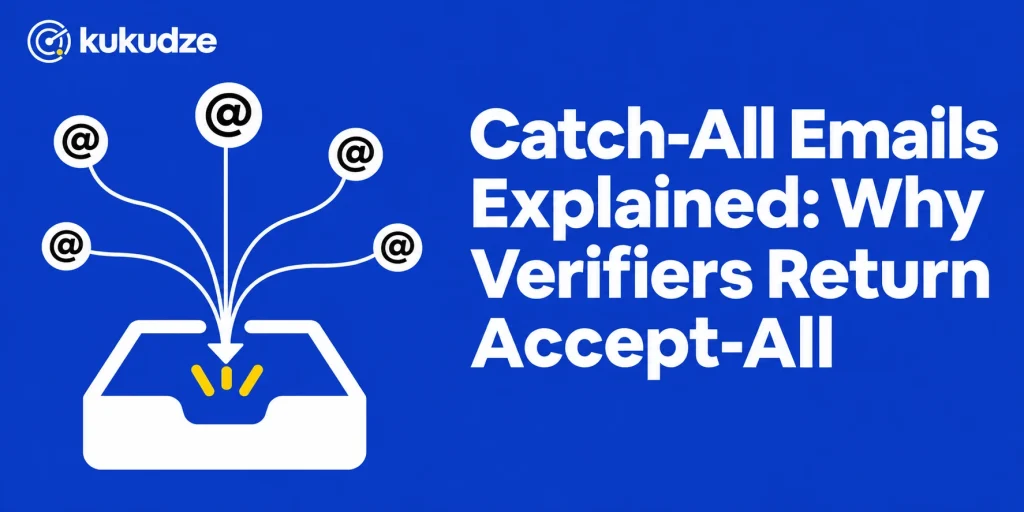
A catch-all domain is set up so the mail server accepts messages for almost any local part at that domain, including mailboxes that do not exist. Verification tools surface this as catch-all or accept-all because the server’s “yes” does not prove that the individual inbox is real.
That is why a catch-all result feels unfinished. The address might belong to a person who reads mail every day, or it might be a guess that the server politely accepted. This article explains what the configuration is, why companies use it, why verifiers cannot always go further, and how to handle those rows before you send.
For the broader set of checks a verifier runs, see What Is Email Verification?. For the product-level overview, see the email verifier overview. For how result labels fit together, see Email Verification Results Explained.
What a catch-all or accept-all email is
Hunter’s help article What does an “Accept-all” email status mean? defines an accept-all domain (Hunter also uses the term catch-all) as a domain configured to accept all emails, even when they are sent to mailboxes that do not exist. Because of that behavior, Hunter says no verification tool, including Hunter, can fully confirm deliverability on these domains.
ZeroBounce’s catch-all page uses the same idea. A catch-all email is an address on a domain that accepts messages sent to any address at that domain, even if the individual mailbox does not exist. ZeroBounce’s example is a company.com server that may accept both realperson@company.com and madeupname@company.com.
Kickbox describes the same setup in its results terminology guide: some domains accept all email you send them, even if the address is invalid. After the message is sent, the receiving server may silently discard it or bounce it later. Kickbox classifies accept-all and catch-all addresses as risky and says sending to them may raise bounce rates, lower open rates, or both.
The important distinction is between the domain and the mailbox:
- The domain can be configured as catch-all.
- An individual address on that domain may be valid, invalid, or still impossible to confirm.
A verifier that returns accept-all is usually telling you about the domain’s policy, not giving you a final yes or no on that one inbox.
Why companies turn catch-all on
Receiving companies turn this on so they miss fewer messages. ZeroBounce lists common cases: a sender mistypes an address, someone guesses the wrong mailbox format, an employee leaves and the old address is gone, or a customer writes to the wrong department. Instead of rejecting those messages immediately, the server can accept them and let someone on the receiving side sort or reroute them.
Hunter gives a similar reason: accept-all domains are designed so organizations never miss an email sent to a wrong or nonexistent address at that domain. Hunter also notes the downside for the receiving side. Catch-all domains attract more spam and malicious mail, because senders know that almost any string at that domain will be accepted.
For you as the sender, that receiving-side convenience becomes uncertainty. The same server reply that protects the company from missed mail also hides whether your specific recipient exists.
Why verifiers return accept-all instead of valid or invalid
Email verification that checks a mailbox, rather than only the syntax of the address, depends on how the receiving server answers during an SMTP conversation. RFC 5321 describes that conversation: the sending server names a recipient and the receiving server replies whether that recipient is allowed to receive the message.
On a typical domain, a nonexistent mailbox produces a rejection at that step, so a verifier can mark the address invalid without sending a campaign message. On a catch-all domain, the server accepts the recipient even when the mailbox is missing. The verifier sees an acceptance and cannot treat that acceptance as proof.
Hunter’s checks article describes the accept-all test in those terms: the verifier looks for a policy that takes every incoming message, including mail for missing inboxes. Hunter adds that some accept-all addresses still bounce, even if that happens less often than people might expect.
A common way to detect the policy is to ask the server about an address that should not exist (a random local part) and see whether the server still accepts it. If it does, every other address at that domain is harder to trust on SMTP evidence alone. Hunter’s help article is explicit: if a domain uses accept-all, a check of someone@ that domain will receive an “OK” response for any mailbox, so Hunter cannot be fully certain those addresses are valid.
That is the core reason the label exists. It is not a vague “we are unsure.” It is a specific finding: the domain will not tell you, through normal SMTP replies, which inboxes are real.
How major verifiers describe the result
Different tools use slightly different words for the same underlying finding. Always read the vendor’s own status definitions before you write suppression rules.
Hunter returns an Accept-all status. Hunter says it also filters out made-up name-variant addresses on accept-all domains, so the addresses it confirms are more likely to be real mailboxes, but full certainty still is not possible. Hunter attaches a confidence score based on the freshness and number of web sources that mention the address. Hunter’s rule of thumb is to start with a minimum 85% confidence score, or 90% and above if you are still warming up a sending domain, then adjust based on observed bounces.
Kickbox does not treat accept-all as a separate top-level result. It folds accept-all into the risky result, alongside disposable and role addresses, and explains the catch-all behavior in the same results guide.
ZeroBounce can return Catch-all, and it also describes extra steps that try to resolve some of those addresses to Valid or Invalid. ZeroBounce says many catch-all addresses hosted by Microsoft 365, Google Workspace, and major secure email gateway platforms can be resolved during standard validation. Addresses that still cannot be resolved remain Catch-all. ZeroBounce also says it keeps a domain-level catch-all indicator even when an individual mailbox is later marked valid or invalid, so you can see both facts at once.
kukudze checks whether the domain accepts all mail on every plan, Free included. It does not use a separate catch-all status. The row gets its usual result (Valid, Invalid, Risky, or Unknown), and a Valid row on an accept-all domain carries a note, which is also in the CSV you download. See the results glossary once you are mapping export columns.
No vendor should be read as promising that every catch-all row will become a definite valid or invalid. ZeroBounce states that some addresses remain unresolved even after extra checks. Hunter states that full confirmation is not possible on accept-all domains. Kickbox says it cannot guarantee inbox delivery on those domains.
Can a catch-all email still bounce?
Yes. Acceptance at SMTP time is not the same as final delivery.
ZeroBounce lists several ways a catch-all address can bounce later: the individual mailbox does not exist and the server rejects the message after first accepting it; the mailbox has been deleted or disabled since you collected or last checked the address; or the domain’s catch-all configuration changes. Kickbox likewise says the receiving server may silently discard the message or send a bounce after the fact.
Hunter’s help article gives its own guidance for outreach, attributed to Hunter’s experiments: the bounce rate of accept-all emails in a list is around half the invalid rate of the full list. Hunter’s example is that if 10% of the emails in a list are invalid, around 5% of the accept-all emails in that list may bounce. Treat that as Hunter’s published guidance, not as a figure you should copy onto every list. Hunter also notes that tolerance depends on how you send. A dedicated server with your own IP addresses may tolerate more risk than a shared ESP that enforces a stricter bounce limit.
If your ESP will pause or penalize an account after a string of hard bounces, unresolved catch-all rows deserve extra caution, especially on a first send to those contacts.
What you should do with catch-all results
Do not apply a single blanket rule without looking at the rest of the data you have.
If the verifier later marks the individual address valid. You can treat it like other valid contacts, while still remembering that the domain uses a catch-all policy. ZeroBounce keeps that domain-level flag for this reason.
If the verifier marks the address invalid. Suppress it. An invalid result on a catch-all domain is more useful than a leftover accept-all label, and it should follow the same removal process you use for other invalid rows.
If the result remains catch-all or accept-all. You still do not know whether the mailbox exists. Use other evidence before you send:
- Is there a recorded opt-in or a prior reply from this address?
- Is the address a plausible mailbox for that person or team, or does it look generated?
- If the tool provides a confidence or quality score, what threshold will you use, and will you tighten it while a domain is warming up?
- What bounce budget does your ESP or mailbox-provider setup allow?
A conservative marketing program often holds unresolved catch-all rows out of the next campaign, or mails them in a small, watched segment. A program that already has replies from those addresses has more reason to keep them, with monitoring turned on.
Hunter recommends prioritizing accept-all addresses that appear in web sources over those with no sources. That advice is specific to Hunter’s confidence score. If you use another tool, use that tool’s documented signals instead of importing Hunter’s percentages.
For large stored lists, run bulk email verification so catch-all rows are visible before the campaign is loaded into your ESP. kukudze runs the accept-all check on every plan.
Catch-all compared with nearby result types
| Finding | What it usually means | Typical next step |
|---|---|---|
| Invalid | The mailbox or domain rejected the address, or the syntax is wrong | Suppress and do not mail |
| Catch-all / accept-all | Server policy hides whether this inbox exists | Pause, score, or watch closely |
| Unknown | The remote server never returned a clear reply (timeout, block, or outage) | Retry later; do not assume the inbox exists |
| Disposable | The domain is a temporary inbox provider | Do not use it for ongoing mail |
| Role-based | The address is a function such as info@ or support@ | Segment and apply a stricter permission rule |
Unknown and catch-all are easy to confuse because both feel inconclusive. They are not the same. Unknown means the verifier could not complete the conversation. Catch-all means the conversation completed and the server accepted in a way that hides the mailbox. Retrying an unknown row can produce a clearer result. Retrying a true catch-all row often produces the same accept-all finding, unless the vendor has an extra resolution step or the domain’s policy changed.
FAQ
Are catch-all and accept-all the same label?
In email verification, yes: the two names describe the same server behavior. Hunter’s help center uses accept-all and says it is also known as catch-all. ZeroBounce introduces catch-all and says it is also called accept-all. Kickbox uses both terms together in its results guide.
Should you delete every catch-all email from your list?
No. ZeroBounce advises against automatically removing every catch-all address, because some belong to real, active mailboxes. Deleting the entire group can remove contacts who already opted in. Validate first, suppress the invalid rows, and handle unresolved rows with a written, cautious rule.
Why do some tools resolve catch-all addresses and others do not?
Mailbox checks depend on how a receiving server answers. Some vendors describe extra methods that can classify more individual addresses as valid or invalid. ZeroBounce’s catch-all page is one example. Others, including Hunter, emphasize that full confirmation is not possible on accept-all domains and offer a confidence score instead. Compare the vendor’s own documentation rather than assuming every “catch-all detection” feature works the same way.
Does kukudze detect catch-all emails?
Yes. Every kukudze plan, Free included, checks whether the domain accepts all mail. When it does, a Valid row gets a note that the domain is accept-all, so you can sort those rows out of the CSV you download and apply your own rule.
Are catch-all domains bad for the company that uses them?
They are a tradeoff for the receiving organization. They can prevent lost mail when someone writes to the wrong local part, and they can also attract more unwanted mail. Hunter notes that the setup may become less common as organizations look for ways to manage mail without taking on extra spam. That receiving-side choice is separate from your decision as a sender about whether to mail an unresolved address on that domain.
Wrapping up
A catch-all or accept-all result means the receiving domain will take mail without proving that the individual inbox is real. That is why verifiers return a special label instead of a simple valid or invalid. Read the status the way your vendor defines it, suppress true invalids, and treat unresolved catch-all rows as a risk decision rather than as confirmed contacts.
To find catch-all rows in a file, open the kukudze verifier on any plan, then decide how each status should be suppressed before the next send.
Check your list before you send. Try the verifier with one address or a CSV list.
Start verifyingLatest articles
Free Email Verifier Limits: What You Can Check Without Paying
See what a free email verifier can check, what kukudze's Free plan gives you (100 checks a month, the same 4 checks as paid plans), and…
How to Read a Verification Report and What to Suppress
Learn how to read an email verification report, translate each label into an action, and suppress invalid emails before the next send.
Syntax Check vs Full Mailbox Verification
Compare an email syntax check with mailbox verification: what each layer catches, what it misses, and when a format-only pass is not enough to send.