Syntax Check vs Full Mailbox Verification
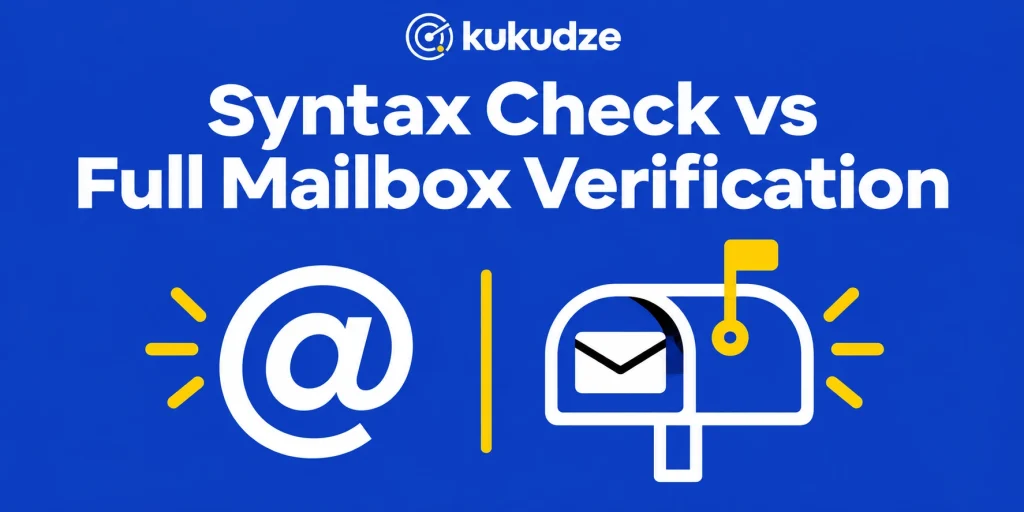
An email syntax check asks whether a string is shaped like an address. Full mailbox verification asks a harder question: if you tried to deliver mail there, would the receiving system accept a recipient with that local part? Both steps matter, and they are not interchangeable. A well-formed address can still point at a mailbox that closed last year. A mailbox check is wasted on a string that never had an @.
This article compares the two depths, adds the domain step that sits between them, and shows when a format-only pass is enough. It is a comparison of check types, not a second tour of every risk flag. The broader layering is covered in what email verification is.
What a syntax check actually tests
RFC 5322 is the document that defines how an Internet message is written. Inside that document, an addr-spec is the mailbox token: the portion left of @, the @ itself, and the portion right of @. A syntax or format check applies that idea (and a few practical extras) to each row:
- Is there exactly one @ that splits a local part from a domain?
- Do the characters look like ones an address can use?
- Are there obvious paste errors, such as a trailing comma, a space in the middle, or a missing dot in the domain?
- Does the right-hand side look like a common typo for a major inbox brand? Some products offer a suggested fix at this point.
That is valuable work. sam@@company.com, samcompany.com, and sam@ will never deliver, and you do not need to contact a mail server to know it. Syntax is also cheap. It can run in a form field, in a spreadsheet filter, or on an unpaid verifier tier that stops at this layer.
Syntax cannot tell you whether sam@company.com still belongs to Sam. The string is legal either way.
Google’s sender guidelines separately ask that finished messages follow RFC 5322 as a whole (headers, Message-ID, and so on). That is a rule about the email you send, not about the recipient address alone. Do not confuse “this campaign is formatted as a proper message” with “this recipient string is a real mailbox.”
The domain step between syntax and the mailbox
Before a mailbox probe, a verifier looks up how the domain handles mail. RFC 5321, which specifies SMTP, describes how a sending system finds Mail Exchange (MX) records and talks to the host listed there.
If the domain has no usable mail routing, delivery will fail even when the local part looks tidy. A retired company domain, a typo that points at a domain nobody registered for mail, or an unreachable mail host will stop here. Hunter’s public write-up of what its Email Verifier inspects splits “no MX” from “no SMTP server” into two failure types. That split is handy on a report: some rows never leave DNS, while others never begin a conversation with the destination.
Domain routing is not yet mailbox verification. The domain can accept mail for many local parts, or for none of them, and MX data alone will not say which.
What full mailbox verification adds
Mailbox-depth work tries to find out if that exact left-hand side would be taken by the host, while avoiding a visible delivery to the person. In outline, the verifier opens a conversation with the receiving host and uses the replies to classify the address. Hunter’s check list describes probing the inbox without actually sending a note, and it cautions that accept-all (catch-all) setups reply as if every left-hand side were genuine.
A useful mailbox result usually falls into one of these groups:
- The host accepted the recipient (often labeled valid or deliverable)
- The host refused the recipient (invalid, mailbox not found, or similar)
- The host would not say (unknown, timeout, greylisting, or a policy that hides the answer)
- The host accepts everything (catch-all), so a “yes” is not proof that the person exists
This is the layer that catches pat@company.com after Pat has left. It is also the layer that can come back inconclusive. A blocked conversation does not equal a rejected inbox. Treat unknown as “we could not tell,” not as “safe to blast.”
Mailbox verification still does not grant permission to send, and it does not predict complaints. Google’s guidelines still ask you to collect a real opt-in and not to buy address files.
Receiving hosts are also allowed to hide the answer. RFC 5321 notes that some sites disable or limit directory-style lookups, and many modern providers treat probing as something to rate-limit or ignore. That is why a mailbox-depth product can return unknown even when the address is well formed and the domain routes mail. The honest reading is “this check did not finish,” not “the person is approved.”
What each layer catches, and what it misses
| Layer | Catches | Misses |
|---|---|---|
| Syntax and format | Missing @, illegal characters, many typos, empty cells | Closed mailboxes, retired employees, catch-all uncertainty |
| Domain and MX | Domains that cannot receive mail at all | A valid domain with a dead local part |
| Mailbox | Local parts the host rejects | Permission problems; some catch-all and firewalled hosts |
The phrase “full mailbox verification” in this article’s title names a check type. It is not a kukudze plan label. On kukudze, every plan runs the mailbox check.
A format-only pass is enough when you are triaging obvious garbage, testing a form field, or working inside a credit cap that only covers this layer. It is not enough when you are about to run a campaign, move the file into another ESP, or revive contacts that have sat idle.
Teams sometimes skip the mailbox layer because a format pass already made the sheet look clean. A clean sheet can still hold closed work addresses. Treat syntax as a filter that removes strings that cannot be addresses, not as proof that the remaining rows will accept mail.
How this maps to kukudze plans
On kukudze’s pricing table, every plan runs all three layers above, plus an accept-all check: format, whether the domain can receive mail, the mailbox answer, and whether the domain accepts all mail. That includes Free, which is $0 with 100 checks a month and lists up to 50 rows. It is a fair way to check a short file at the mailbox level, not only to strip strings that cannot be addresses.
The plans differ only in volume:
- Free: $0, 100 checks a month, lists up to 50 rows. Open today.
- Starter: $9 a month, 2,000 checks a month, lists up to 1,000 rows. Coming soon.
- Pro: $19 a month, 5,000 checks a month, lists up to 5,000 rows. Coming soon.
- Agency: $39 a month, 15,000 checks a month, lists up to 15,000 rows. Coming soon.
The plans do not use the phrase “mailbox verification” as a line item. This article uses that phrase for the industry check described above. When you choose a plan, match the monthly checks and the list size to the job, and open the email verifier for the product itself.
A later note on the unpaid tier will stay with what you can do without paying.
When to stop at syntax, and when to go further
Stay with a syntax and format pass when:
- You are rejecting obviously broken input on a form before you store it
- You are cleaning a paste dump and want to drop rows that cannot be addresses
- You only need that first filter and want to save your monthly checks for the rows that pass it
Add domain and mailbox-depth checks when:
- You are about to send to the list
- The file is old, imported, or merged from more than one system
- You need to know whether a well-formed work address still points at someone
- You will feed the result into an API check on signup, where storing pat@company.com after Pat has left is as harmful as storing a typo
If the report comes back unknown or catch-all, do not pretend the syntax passed and therefore the row is fine. Syntax already succeeded; the deeper layer is the one that could not finish the job. Hold those rows, retry later, or apply a written risk rule.
A practical workflow uses both depths in order. Reject broken strings at the point of collection so they never hit your database. Before a send, a migration, or a win-back, run the remaining well-formed rows through domain and mailbox-depth checks so you are not paying a provider to discover closed mailboxes in public. Note the depth that stopped the row: a format problem is often something the person can fix if you ask, while a host-level rejection usually means that left-hand side should leave the live file.
FAQ
Is an email syntax check the same as RFC 5322 validation of a whole message?
No. RFC 5322 defines how a complete message is formatted, including the address shape. A syntax check on a recipient list only looks at the address string. Google also tells operators to shape the outgoing email itself to that document, and that duty is independent of list syntax.
Can a syntax check find catch-all domains?
No. Catch-all behavior shows up when a host accepts local parts it may not really deliver. That is a mailbox-layer finding, and kukudze checks for it on every plan, Free included.
If syntax passes, should I send?
Not on the strength of syntax alone. Send after you have the depth of check the campaign deserves and after you have permission to mail the person.
Why do some mailbox checks come back unknown?
The receiving host can delay, hide, or refuse the probe. Hunter notes that some servers will not give a clear answer. Unknown means the check did not finish, not that the mailbox was approved.
Does the unpaid kukudze card include mailbox verification?
Yes. The Free plan runs the same 4 checks as every paid plan, including the mailbox answer. It is limited to 100 checks a month and lists up to 50 rows. Paid plans add only more checks and bigger lists, and they are coming soon.
Wrapping up
Syntax tells you whether a string can be an address. Mailbox verification tells you, when the host will answer, whether that address is still accepted. Domain routing sits in the middle and stops you from probing a name that cannot receive mail at all.
Use a syntax check when you only need the first filter. For anything you intend to send, run the mailbox check too. Every kukudze plan, Free included, does both; see the limits on the pricing page. The product itself is on the email verifier page.
Check your list before you send. Try the verifier with one address or a CSV list.
Start verifyingLatest articles
Free Email Verifier Limits: What You Can Check Without Paying
See what a free email verifier can check, what kukudze's Free plan gives you (100 checks a month, the same 4 checks as paid plans), and…
How to Read a Verification Report and What to Suppress
Learn how to read an email verification report, translate each label into an action, and suppress invalid emails before the next send.
How to Verify an Email List in Excel or CSV (Step by Step)
Verify an email list from Excel or CSV: prepare the file, upload it, bring results back into the sheet, and suppress bad rows before you send.