What Is Email Verification? Syntax, Domain, and Mailbox Checks
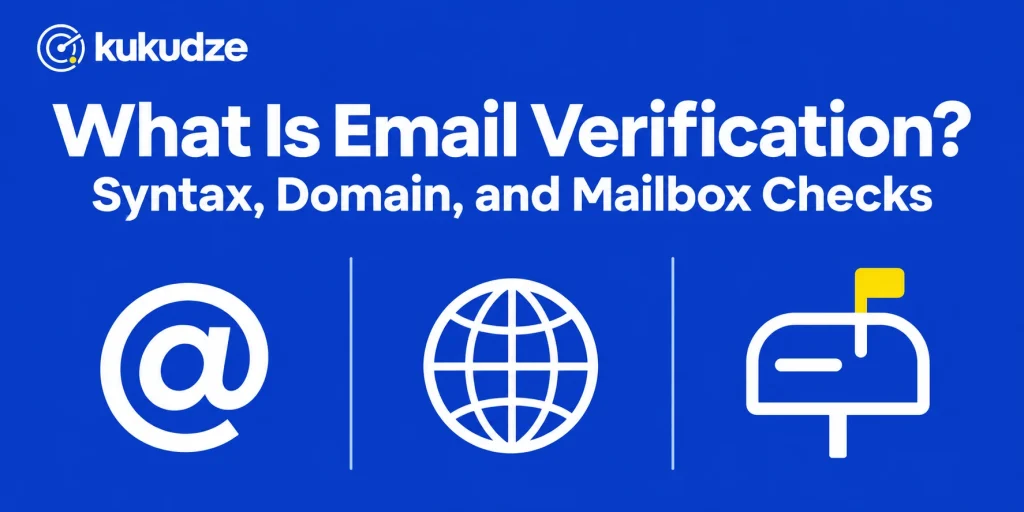
Email verification is the process of testing an address in layers to see whether mail can be delivered there. The first layer asks whether the string is even shaped like an address. The second asks whether the domain is set up to receive mail. The third asks, when the receiving system will respond, whether that particular mailbox is accepted. Extra flags then describe risk, which differs from a simple invalid result, such as a temporary inbox or a domain that accepts every local part.
This article is about those layers: how email verification works, what each layer can and cannot prove, and how to read a result. It is neither a tutorial for looking up someone’s contact details nor a review of individual products. For the tool category, see the tool explainer. For a hands-on pass on one address, see the one-address walkthrough.
Email validation and email verification
Writers often treat the two phrases as twins. A useful distinction still helps when you read a report:
- Email validation (in the strict sense) asks whether the string follows address syntax. RFC 5322, the Internet Message Format standard, describes an addr-spec as a local part, an at-sign, and a domain. A string that fails that shape cannot be a mailbox.
- Email address verification continues past the shape. It asks whether the domain can route mail and whether a person collects mail there.
Product pages blur the words. Hunter’s Email Verifier documentation, for example, describes both a format step and later mailbox steps under one product. When a vendor says “validation,” read the check list. The important question is which layers run, not which noun is in the headline.
Google’s sender guidelines instruct senders to format the finished message according to RFC 5322. That rule is about the finished email (headers, structure, a single From address, and so on), not about a verifier. It is still a reminder that mailbox providers expect mail to be well formed end to end, starting with the destination address.
Layer 1: syntax and format
Syntax is the cheapest filter and the one you should never skip.
A typical format step looks for:
- Exactly one @ separating the local part from the domain
- A local part that uses allowed characters (RFC 5322 describes this as a dot-atom or a quoted string)
- A domain that looks like a hostname, not an empty string or a lone trailing dot
- No spaces or illegal characters sitting in the middle of the address
Hunter’s article on the checks performed by its Email Verifier starts here: the address should look like email@provider.com. Hunter also runs a “gibberish” test for local parts that resemble random keyboard noise, such as a long mix of digits and letters that no person would register.
Syntax catching a typo (gmial.com, a missing dot, a trailing comma pasted from a spreadsheet) saves you from a guaranteed bounce. Syntax cannot save you from pat@company.com when Pat left the company last spring. That record is well formed and still undeliverable.
A syntax and format pass is a legitimate first filter on a small file. It cannot stand in for the next two layers when you plan to mail the list. On kukudze, every plan, Free included, runs all three layers plus an accept-all check. The syntax check versus mailbox verification comparison shows where a format pass stops.
Layer 2: domain and mail routing
Once the string looks like an address, verification asks whether anyone is prepared to accept mail for that domain.
RFC 5321 is the SMTP specification. Section 5 of that document explains how a sending system locates the next host: it looks up Mail Exchange (MX) records for the domain, then connects to the server those records name. If no MX data exists, other address records may be tried, but a domain with no usable mail routing cannot receive messages.
In practice, a domain-layer failure looks like one of these:
- The domain name does not exist
- The domain exists but publishes no MX (and no usable fallback)
- MX records point at a host that cannot be reached
- The hostname is clearly a placeholder or a parked page with no mail service
Hunter splits this layer into “presence of MX records” and “presence of SMTP server.” That split is handy when you read an export: some rows die in DNS, others die because no session with the receiving host can be opened.
A passing domain check still does not prove the local part is real. It only proves the building has a mail room. The next layer asks whether there is a box with that name inside.
Layer 3: mailbox acceptance
Mailbox-level email verification tries to learn whether the receiving server will accept that specific local part.
RFC 5321 describes the mail transaction in which a client names a recipient and the server replies that the recipient was accepted or rejected. Historically the protocol also defined debugging commands such as VRFY. Section 7.3 of RFC 5321 notes that operators may disable those debugging commands for security reasons, which is one reason modern checks do not rely on a single public “does this user exist?” switch.
Vendors instead describe a cautious conversation that stops short of delivering a message. Hunter’s help page says the mailbox step queries the destination host and does not dispatch mail, and that a check the host prevents is marked “Blocked.” If the server is merely slow, Hunter says it keeps working in the background rather than failing immediately.
What a mailbox-layer result can mean:
- Accepted: the server indicated it would take mail for that local part at that moment
- Rejected: the server said the mailbox is unknown or not allowed
- Inconclusive: the server greylisted the probe, timed out, or refused to discuss individual recipients
The inconclusive case is common at providers that hide mailbox existence to reduce abuse. It is not a license to treat the row as valid. Hold it, retry later, or use another channel.
A mailbox pass is still a snapshot. Hunter’s verifier page is careful on this point: a small share of addresses marked valid can still bounce later because accounts are deleted, fill up, or start rejecting mail, and because problems on your own sending domain can cause bounces too.
Extra flags that sit beside the three layers
After syntax, domain, and mailbox, most serious tools attach risk notes. These notes are not a fourth proof of existence. They describe how risky the address is to mail even if a server would accept it.
Accept-all (catch-all) domains
Hunter’s check list says an accept-all server takes mail for every local part, even when no mailbox was created, and warns that some of those results can still fail later. In other words, layer 3 returns a yes that does not mean what it usually means. A dedicated explainer on accept-all domains will cover how to handle those rows. On kukudze, every plan checks whether a domain accepts all mail, and a Valid row on such a domain gets a note.
Disposable or temporary inboxes
These domains exist to give someone a mailbox for a few minutes. Hunter notes that temporary inboxes cannot be confirmed in the usual sense because they exist only for a short, one-off task. They often pass syntax and sometimes pass a mailbox probe, then vanish. See the later note on temporary inboxes. kukudze does not flag temporary inboxes, so a confirmation email at signup (double opt-in) is the practical guard.
Role-based local parts
Addresses such as team inboxes (info, sales, or noreply at a domain) name a function, not a person. They may be monitored, lightly monitored, or ignored. They are a policy choice, not an automatic invalid. kukudze does not flag role addresses, so filter local parts such as info@ or noreply@ yourself before a promotional send.
Other risk signals
Some products also flag spam traps, abuse-prone domains, or webmail versus corporate hosting. Treat each flag as a reason to pause and apply a rule, not as a synonym for “does not exist.” A later glossary of status labels will collect the common names in one place.
What a result is for
Taken together, the layers give you a decision, not a literary description of the person behind the inbox:
- Drop rows that failed syntax or were rejected at the mailbox
- Keep rows that passed all three layers and carry no policy flag you care about
- Review inconclusive, accept-all, temporary, and role-based rows against the campaign you plan to send
That last group is where teams get into trouble. Auto-deleting every unknown record can remove customers at strict providers. Auto-sending to every accept-all record can recreate the bounces you thought you had removed.
Verification also does not grant permission. Google’s sender guidelines still expect a genuine signup, a confirmed address when someone joins, and no purchased contact files. A technically clean record can still be unwanted mail.
What this process cannot do
Be wary of any description that treats email verification as magic:
- It cannot promise inbox placement. Authentication, content, and complaint rates sit outside the three layers.
- It cannot see the future of a mailbox.
- It cannot distinguish a person who is happy to hear from you from a person who will mark the message as spam.
- It cannot replace list hygiene after the send. People unsubscribe, bounce later, or go quiet, and those events still need handling.
Used honestly, the process simply removes addresses that never had a chance and surfaces the ones that need a human rule.
A practical habit is to record which layer failed. A syntax failure is usually a typo you can ask the person to correct. A domain failure often means the company name or provider was mistyped, or the domain was retired. A mailbox failure means the local part is no longer accepted. Grouping the failures this way makes the export useful to more than the person who ran the job.
FAQ
How does email verification work in one sentence?
It tests the shape of the address, the domain’s ability to route mail, and (when possible) whether the destination host accepts that mailbox, then adds any risk flags the tool supports.
Is a green “valid” result enough to send?
It is enough to say the address looked deliverable at check time. Combine it with permission, a current suppression list, and a sane sending volume. If the result also carries an accept-all or disposable flag, apply your policy before the campaign goes out.
Why do some checks come back unknown?
The destination host would not finish answering the mailbox question. That can be a defense against probing, a temporary outage, or a slow response. Unknown is an honest answer. Guessing “valid” in that situation is not.
Do I need all three layers every time?
For a quick filter on obviously broken strings, syntax alone helps. For any list you intend to mail, run domain and mailbox checks as well. On kukudze, every plan on the pricing page runs the syntax, domain, and mailbox checks plus an accept-all check. Plans differ only in checks per month and rows per list.
Does verification send an email to the person?
Established tools treat the mailbox step as a query that never drops a message into the inbox. Hunter says the same about its own product. Rely on official vendor pages, and do not run a live send simply to collect bounce notices instead of using a verifier.
Wrapping up
Email verification is a layered inspection: syntax first, then domain routing, then mailbox acceptance, with risk flags riding alongside. Each layer answers a smaller question than the last, and none of them replace consent or good sending practice. Read the statuses with that model in mind and you will know which rows to drop, which to keep, and which to hold for review.
To put the process to work on one address or a list, visit the kukudze product page. To compare how products package these layers, continue with the tool explainer.
Check your list before you send. Try the verifier with one address or a CSV list.
Start verifyingLatest articles
Free Email Verifier Limits: What You Can Check Without Paying
See what a free email verifier can check, what kukudze's Free plan gives you (100 checks a month, the same 4 checks as paid plans), and…
How to Read a Verification Report and What to Suppress
Learn how to read an email verification report, translate each label into an action, and suppress invalid emails before the next send.
Syntax Check vs Full Mailbox Verification
Compare an email syntax check with mailbox verification: what each layer catches, what it misses, and when a format-only pass is not enough to send.