Role-Based Email Addresses: Should You Send to Them?
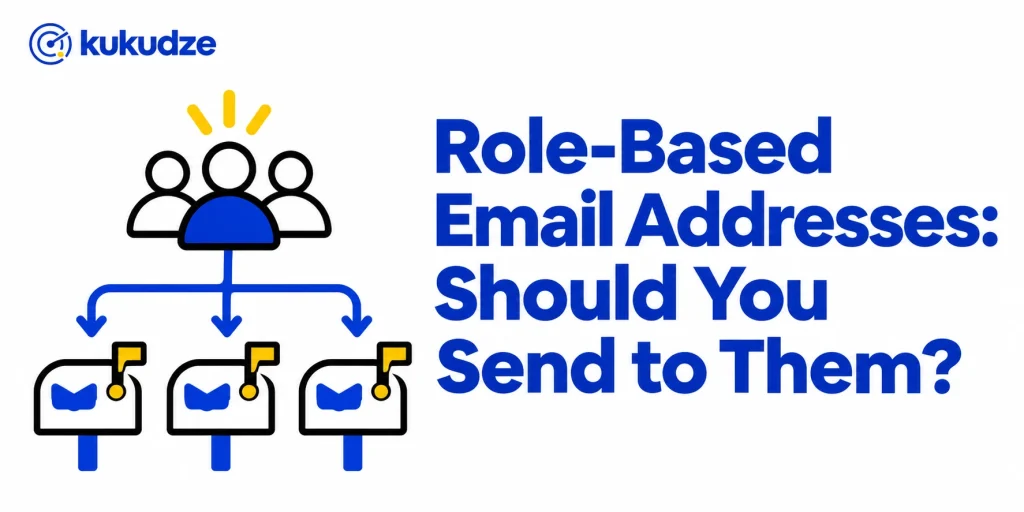
A role-based email address belongs to a job or a shared mailbox, such as info@, sales@, or support@, rather than to one named person. Whether you should send to these addresses depends on how you collected permission, which role it is, and how mailbox providers and ESPs treat bulk mail to shared inboxes.
These addresses often look useful on a company website. They also create consent and engagement problems that personal inboxes do not. A verifier that flags role-based addresses does not automatically mean “never mail this row.” It means you should apply a tighter rule than you use for a named contact.
This decision sits inside regular email list hygiene. If you are cleaning a stored file, start with bulk email verification so role-based rows are visible before you send.
What counts as a role-based address
Kickbox’s results terminology guide defines a role email address as one linked to a function (Kickbox’s examples are postmaster, support, or sales) rather than an individual.
Mailjet’s help article on role accounts uses the same idea: role accounts are addresses used by a team, department, or function instead of a single person. Mailjet’s examples include sales@, support@, admin@, and info@. Mailjet notes that several people often share the mailbox, and that the people who have access may change over time.
Common prefixes include:
- Department or public inboxes: info@, contact@, sales@, support@, marketing@, jobs@, media@, billing@, orders@
- System or administrative inboxes: postmaster@, abuse@, spam@, security@, privacy@, hostmaster@, webmaster@, noc@, sysadmin@
- Non-replies and list plumbing: noreply@, no-reply@, unsubscribe@, list@, mailer-daemon style addresses
Mailchimp publishes a specific blocked list for imports. That list includes abuse@, admin@, billing@, hostmaster@, no-reply@, noreply@, postmaster@, privacy@, root@, security@, spam@, support@, webmaster@, www@, and many other administrative prefixes. Mailchimp’s list is an ESP import policy, not a complete dictionary of every shared inbox. Prefixes such as info@ or sales@ can still be treated as role-based by a verifier even when they are absent from that particular import blocklist.
A named mailbox such as alex.jordan@company.com is not role-based just because the person works in sales. The flag is about the local part and the shared function, not about the company’s department.
Why role-based addresses are treated as risky
Role-based rows fail for different reasons than invalid or disposable rows.
They often do not bounce. Kickbox says that sending to a role address will generally not lead to a bounce. The mailbox exists. The risk is quality, not a missing inbox.
Consent is harder to prove. Mailjet explains that the person who originally gave consent may no longer have access to the mailbox, and that new users of the mailbox may not know why they are receiving your emails. A shared inbox also makes it easier for someone to mark a message as spam on behalf of a group.
Complaints and low engagement are more likely. Mailchimp says some role-based addresses are associated with high bounce rates and spam complaints, which is why it blocks them from imports. Mailjet says these addresses are more likely to generate spam complaints, and that sending marketing to them can hurt sender reputation if they make up a large share of a list. Kickbox says a large number of messages to role addresses may result in low engagement, because there may or may not be an actual person behind the address.
Some prefixes are operational, not promotional. Mailjet says addresses such as abuse@, postmaster@, or spam@ are used for administrative or compliance purposes and should not receive marketing emails. Mailchimp blocks many of those same prefixes on import, along with noreply@ and no-reply@.
In short, a role-based flag is a warning about who reads the mail and why the inbox exists, not a statement that the address is fake.
What Mailchimp and other ESPs do with them
ESP rules are a practical reason to identify role-based addresses before you upload a file.
Mailchimp’s limits on role-based addresses page says Mailchimp blocks those addresses from your import. It also says role-based addresses cannot be used to sign up for a Mailchimp account. There is an important exception on that page: subscribers with role-based email addresses can still join your audience. The block applies during an import, not during a signup.
That exception is the cleanest real-world answer to “should you ever send to info@?” If a person used a shared inbox on your form and confirmed permission, Mailchimp is willing to keep that subscriber. If you try to bring the same style of address in through a bulk import, Mailchimp may refuse the row.
Mailjet does not ban role addresses in every case. Its help article strongly recommends avoiding them for marketing whenever possible, then lists conditions if you still send: valid, provable consent; relevant content; no administrative or abuse mailboxes; an easy unsubscribe path; and close monitoring of engagement, bounces, unsubscribes, and complaints. Mailjet is also clear that a role address should not be added just because it is publicly listed on a website.
If your sending tool has its own import filter, read that filter before you assume every role-based row in a verification export can be uploaded.
When it can be reasonable to send
A yes is possible, but it should be narrow.
The person opted in with that address. A signup form, event registration, or customer checkout that captured info@ or support@ with a timestamp and source is different from an address copied off a contact page. Mailchimp’s import-versus-signup distinction reflects that difference.
The message matches the function. A shipping update to orders@, or a reply to a support ticket opened from support@, is closer to the purpose of that mailbox than a promotional newsletter. Mailjet says the content should be relevant to the role address.
The prefix is not an administrative sink. Do not mail abuse@, postmaster@, spam@, security@, privacy@, noreply@, unsubscribe@, or similar operational addresses. Mailchimp blocks many of these on import. Mailjet says they should never be used for marketing, even if they appear in your database.
You can segment and watch them. Mailjet recommends placing role addresses in a separate segment, reviewing their performance on their own, and applying a sunset policy if they stop opening or clicking. A mixed send that hides those rows inside a large personal-inbox list makes problems harder to see.
If you cannot show when and how consent was collected, treat the address as a public listing, not as a subscriber.
When you should not send
Skip or suppress the row when any of these are true:
- The address came from a scrape, a purchased file, or a company directory with no opt-in record.
- The local part is an administrative, abuse, privacy, or no-reply prefix.
- Your ESP will reject the address on import, and you have no signup record that would let the person join another way.
- The shared inbox has never engaged, and a sunset rule says it is time to stop.
- Role-based rows are a large share of a cold or newly imported list, which raises the chance that complaints will concentrate in one send.
Verification helps you find these rows. It does not turn a public info@ into permission. For stored lists, flag them during bulk verification, then apply the rule before the file goes back into your ESP.
How to handle role-based addresses on a list
Use a written policy so the decision is not improvised the night before a campaign.
- Identify role-based rows by the part before the @. A filter in your sheet for prefixes such as info@, sales@, support@, admin@ and billing@ finds most of them. kukudze does not flag role addresses. It checks whether each address can receive mail, so run the prefix filter yourself before or after the check.
- Split administrative prefixes from public department inboxes. The first group is almost always a suppress. The second group needs a consent check.
- Keep documented opt-ins, especially those that arrived through your own forms.
- Suppress everything else, or hold it in a review queue.
- If you mail the remaining shared inboxes, put them in their own segment, send less often if needed, and watch complaints closely.
- Revisit the segment on the same cadence you use for the rest of your list hygiene. Shared mailboxes change owners.
This is list management, not a hunt for new contacts. Do not add role-based addresses to a marketing file just because a website published them.
Role-based compared with other risk flags
| Flag | What it usually means | Default action for marketing |
|---|---|---|
| Invalid | The mailbox or domain cannot receive the message | Remove from sends |
| Disposable | A temporary inbox that is likely to expire | Suppress |
| Catch-all / accept-all | The host hides whether one mailbox exists | Set aside or watch |
| Role-based | A shared or functional inbox rather than one person | Segment, require consent, suppress operational prefixes |
A single address can carry more than one flag. A disposable role-looking string, or a role address on a catch-all domain, should follow the stricter rule. When the rules conflict, suppress. Two related risks have their own guides: disposable email addresses and spam traps.
FAQ
Is info@ always a problem?
Not always. Info@ is a shared inbox, so it carries the consent and engagement risks Mailjet describes. If someone used info@ on your signup form, Mailchimp still allows that person to join an audience. If info@ appeared on a website with no opt-in, do not add it to a marketing list.
Why did Mailchimp reject my import?
Mailchimp blocks a published set of role-based prefixes during import because some of those addresses are tied to high bounce rates and spam complaints. Check the address against Mailchimp’s list. The same person may still be able to subscribe through a signup form.
Do role-based emails hurt deliverability?
They can, mainly through low engagement and spam complaints rather than through an immediate hard bounce. Kickbox notes that role addresses generally will not bounce and that the issue is often engagement. Mailjet warns that a list with many role addresses can hurt sender reputation. Identifying them lets you segment, suppress, or monitor instead of discovering the problem after a campaign.
Does kukudze detect role-based email addresses?
No. kukudze runs the same 4 checks on every plan: format, whether the domain can receive mail, the mailbox answer, and whether the domain accepts all mail. It does not flag role addresses. Filter prefixes such as info@ and support@ in your sheet, then verify the rest.
Should sales outreach use role-based addresses?
This article covers permission and list quality, not how to find contacts or write outreach sequences. If a shared inbox opted in to hear from you and the message matches that function, a send can be reasonable. If the address was only published on a website, treat it as you would any other address collected without permission: do not add it to a marketing or bulk outreach list.
Wrapping up
Role-based email addresses are shared or functional inboxes. Many of them can receive mail, which is why they are a judgment call rather than an automatic invalid result. Use a verifier to find them, suppress operational prefixes, keep only the shared inboxes that opted in, and watch that segment on its own.
To clean a list, filter role prefixes in your sheet, then run the rest through the kukudze verifier to find addresses that cannot receive mail. The Free plan on the pricing page covers 100 checks a month.
Check your list before you send. Try the verifier with one address or a CSV list.
Start verifyingLatest articles
Free Email Verifier Limits: What You Can Check Without Paying
See what a free email verifier can check, what kukudze's Free plan gives you (100 checks a month, the same 4 checks as paid plans), and…
How to Read a Verification Report and What to Suppress
Learn how to read an email verification report, translate each label into an action, and suppress invalid emails before the next send.
Syntax Check vs Full Mailbox Verification
Compare an email syntax check with mailbox verification: what each layer catches, what it misses, and when a format-only pass is not enough to send.