Real-Time vs Bulk Email Verification: Which Should You Use?
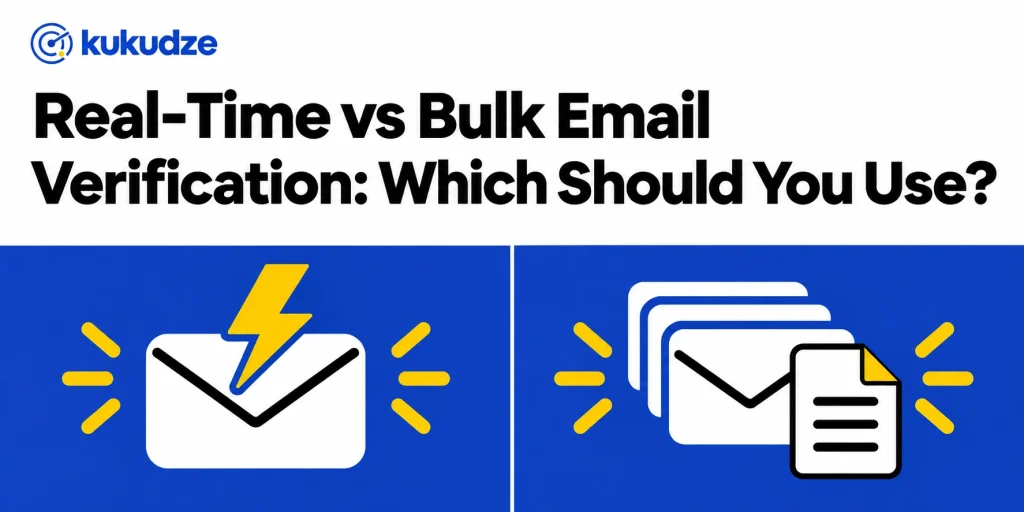
Real-time email verification checks one address as it arrives, usually through an API at signup or checkout. Bulk email verification checks a file of many addresses after you export it from a CRM, ESP, or spreadsheet. Most sending teams eventually need both: a live check so bad addresses never enter the list, and a file check so older records do not go out in the next campaign.
This article compares the two modes by job, not by brand slogans. It is not a paid ranking. Use it to decide which path to start with, then read the product pages for the tool you pick.
For a product-level look at the live path, see the API article. For the file path, see the bulk verification guide. For forms that check an address as it is typed, see the form verification guide.
What real-time vs bulk email verification actually does
Real-time verification sends a single address to a verifier and waits for a result before your app stores it or shows an error. Typical triggers are a signup form, a checkout field, a lead form, or an import job that walks rows one by one. The kukudze homepage leads with checking one address or uploading a CSV or TXT file, then a format test, a domain-receiving test, a mailbox-accepted test, and an accept-all mail test.
The kukudze pricing cards list monthly checks and list sizes only. kukudze has no public API, no webhooks, and no Slack alerts. You check one address or a list on the site, so a live check inside your own signup form needs a verifier that offers an API. How callbacks work in general is covered in the webhook setup guide.
Bulk verification takes a file of addresses, processes them as a batch, and returns a result file you can import or segment. kukudze handles this on the site: paste a list or pick a CSV or TXT file, then download the results as CSV. The email verifier page is the product reference.
Both modes ask the same kinds of questions: is the syntax valid, does the domain accept mail, and is the mailbox one you would treat as risky (for example a catch-all or disposable address). The difference is timing. Real-time tries to stop a bad address at the door. Bulk tries to clean the room you already have.
When real-time verification is the better first step
Choose a live check when new addresses arrive faster than you can export a file, or when a bad row would immediately create a ticket, a bounced transactional message, or a wasted sales follow-up.
Good first uses:
- Website signup and account creation, so a mistyped or disposable address does not become a user record.
- Checkout and order confirmation, so a receipt has a mailbox that can receive it.
- Lead forms that hand the address to a salesperson the same day.
- Product-led apps that send a magic link or password reset as soon as someone registers.
A live check also helps you apply result labels at the moment of capture. kukudze runs the same four checks on every plan (format, domain, mailbox answer, and accept-all), but only on the site, for one address or a list. It has no API, so it cannot answer during a form submit, and it has no disposable, spam-trap, or role flags.
Real-time is a weaker first step when you already hold tens of thousands of older records that have never been checked. An API that walks those rows one by one can work, but a file upload is usually simpler for that backlog. It is also a weaker first step if your app cannot wait for a network call during submit. In that case, accept the address, queue a check, and delay the first marketing send until the result returns.
When bulk verification is the better first step
Choose a file check when the risk sits in the list you already have, not in the next signup.
Good first uses:
- A CRM or ESP export before a campaign, newsletter, or product update.
- A list you inherited from another tool, a partner, or an older database.
- A quarterly hygiene pass on records that were verified months ago.
- A one-time cleanup after a spike in bounces or complaints.
Bulk work is easier to audit. You can keep the result file, compare it with the original export, and show colleagues which rows you removed or suppressed. It is also the practical path when several people share the same list and nobody wants to wire an API this week.
Bulk is a weaker first step if new addresses keep landing while you clean the old file. By the time you finish the export, new bad rows may already sit in the live database. Pair the file job with a real-time check on new intake so you do not repeat the same cleanup next month.
Vendor pages sometimes publish speed claims for large files. ZeroBounce’s pricing FAQ gives a duration of three-quarters of an hour for 100,000 rows. Emailable’s pricing page publishes shorter file times, including a 10,000-row estimate under three minutes and a roughly 250,000-row estimate near seven minutes. MillionVerifier’s bulk page gives a pace of about 2,700 rows a minute and says one account can finish a million addresses inside six hours. Those durations belong to those vendors. kukudze publishes no speed figure, so no kukudze duration is given here.
How the two modes work together
Most teams settle on a simple split:
- Verify new addresses in real time at the point of capture.
- Re-check stored lists in bulk on a schedule, or before a large send.
- Keep both result streams in the same suppression or tagging rules so a row marked undeliverable in either mode does not go out.
That split also matches how plans are often sold. A monthly allotment may cover a mix of live checks and file rows. The kukudze pricing page lists Free at 100 checks a month, covering lists of 50 rows or fewer, open now. The paid cards are marked coming soon and cannot be bought yet: Starter at $9 a month with 2,000 checks a month on lists of 1,000 rows or fewer, Pro at $19 a month with 5,000 checks on lists of 5,000 rows or fewer, and Agency at $39 a month with 15,000 checks on lists of 15,000 rows or fewer. Count every row you submit against that monthly figure unless a vendor page says otherwise.
If you send from more than one system, run the bulk file from the system that actually sends, or import the verified results back before the campaign starts. A clean CRM export does not help if the ESP still holds the old addresses.
For how often the bulk pass should run, see the re-verification schedule. That question is separate from the real-time versus bulk choice, but the two answers work together.
Decision table
| Situation | Start with | Why |
|---|---|---|
| New signups or checkout fields | Real-time | Stop a bad address before it becomes a stored record |
| A campaign going out this week from an older file | Bulk | Clean the list you will actually send |
| A product that sends a magic link on register | Real-time | A mistype blocks the user immediately |
| A list inherited from another tool | Bulk | You need an audit trail for the whole file |
| High daily signup volume and a large historic database | Both | Live checks protect intake; file checks clear the backlog |
| You cannot add an API call to the form yet | Bulk, then add real-time | Clean what you have now; wire the live check when you can |
Cost and plan notes
Billing is usually per successful check, not per mode. A live API call and a row in a file typically each use one credit or one unit of your monthly allotment. On kukudze, the plans differ only in monthly checks and list size. There is no API, so every check, whether one address or a list row, comes out of the same monthly count.
What the kukudze plan cards name for this decision:
- Free costs $0 and allows 100 checks a month, with lists of 50 rows or fewer. It is open now, and you do not need to enter payment details.
- Starter costs $9 a month for 2,000 checks, with lists of 1,000 rows or fewer, and is marked coming soon.
- Pro costs $19 a month for 5,000 checks, with lists of 5,000 rows or fewer, and is marked coming soon.
- Agency costs $39 a month for 15,000 checks, with lists of 15,000 rows or fewer, and is marked coming soon.
- Every plan checks a single address, a pasted list, or a CSV or TXT file, and lets you download the results as CSV. No plan has API access, webhooks, or extra risk flags.
If you need a live integration, kukudze has no public API, so use a verifier that offers one for the form and kukudze for lists. The accept-all check runs on every kukudze plan, for one address or a list.
Other vendors publish credit packs instead of monthly allotments. Those packs can suit a one-time bulk cleanup. A monthly plan can suit a steady mix of API calls and smaller files. Pick the model that matches how often you will run each mode, then confirm how unused credits and unknown results are handled on that vendor’s pricing page.
Common mistakes
Checking the file but not the form. You clean a list on Monday, then accept invalid signups all week. Add a real-time check so the file does not refill with the same problems.
Wiring an API and never cleaning history. New rows look healthy while five-year-old records still bounce. Run a bulk pass on the stored list at least once.
Assuming a higher plan adds checks. Some vendors sell extra flags on higher tiers. On kukudze every plan runs the same four checks, and plans differ only in checks per month and rows per list. Read each vendor’s own plan page.
Assuming a widget or API that the product does not have. kukudze checks one address, a pasted list, or a CSV or TXT file on the site, with format, domain, mailbox, and accept-all checks. Results are Valid, Invalid, Risky, or Unknown, with a Download CSV button. It has no form widget and no API. Build against what the product does.
Ignoring the result after the check. A real-time failure should block or warn at the form. A bulk undeliverable should be suppressed before send. Verification only helps if the sending system honors the result.
FAQ
Can I use only real-time verification?
Yes, if almost every address you send to arrived after you turned the live check on, and the list has not had time to decay. Stored addresses still change jobs, abandon mailboxes, and become traps. Most senders still run a bulk pass on older records.
Can I use only bulk verification?
Yes, if new intake is slow and you can export before every large send. You will miss typos at the moment they happen, and people who typed a wrong address may never receive the confirmation you just triggered.
Does kukudze support both modes?
Partly. kukudze checks one address or a list (pasted, or a CSV or TXT file) on the site, with format, domain, mailbox, and accept-all checks. That covers the bulk mode and one-off checks by hand. It has no public API, so it cannot run a live check inside your signup form. The email verifier and pricing pages are the product references.
Do live checks and file rows use the same monthly limit?
kukudze has one monthly check count per plan. Every check counts against it, whether it is a single address or a list row. kukudze has no API, so there is no separate API quota.
Which should I set up first?
If a campaign is already scheduled, clean the sending file in bulk first. If signups are the main source of new addresses, set up the live check first so the list stops growing in the wrong direction. Many teams do the file job this week and the API job in the next sprint.
Wrapping up
Real-time vs bulk email verification is a choice about when the check happens, not about which status labels exist. Use real-time vs bulk email verification as a planning question: new addresses at intake, and stored files before a send.
Real-time verification protects the next address. Bulk verification protects the list you already have. Use the live path at signup, checkout, and other forms. Use the file path before campaigns and on a hygiene schedule. Check each vendor’s own pages for the flags and API access you need, then keep both result streams in the same suppression rules.
To see plan limits and the verifier itself, open kukudze pricing and the email verifier.
Check your list before you send. Try the verifier with one address or a CSV list.
Start verifyingLatest articles
NewsGiga Review 2026: Betting Posts, Gmail Contacts and How Much Trust the Site Earns
NewsGiga review: how many posts are about betting, where its footer links go, who is named as founder, how to contact it, and better places to…

Best Email Verifier Tools: How to Choose in 2027
Compare the best email verifier tools for 2027 by checks, list cleaning, API access, and published prices, plus kukudze's monthly plans.
Email Verification Checklist Before Every Campaign
This email verification checklist covers verifying your list, applying the results, and confirming authentication plus provider rules before you send.